Role-based access
Permissions by role, screen, action and individual.
ERP FOR COSMETICS MANUFACTURERS
ERP built for cosmetics manufacturing. Bring sales, R&D, formulas, production, quality, inventory and finance into connected workflows.
Cloud · Dedicated server · On-premisesCONNECTED OPERATIONS
Choose a stage. See what the team records, what they check and who takes the next action.
Start with customers, quotations and orders. Track available stock, production needs and quantities still to ship against the same order.
Bring sample development, formula versions, raw materials and packaging requirements together. See which formula version is linked to a production task.
Follow vessel and day planning through operator tasks, bulk production, filling and warehouse handover. The next action sits alongside the task.
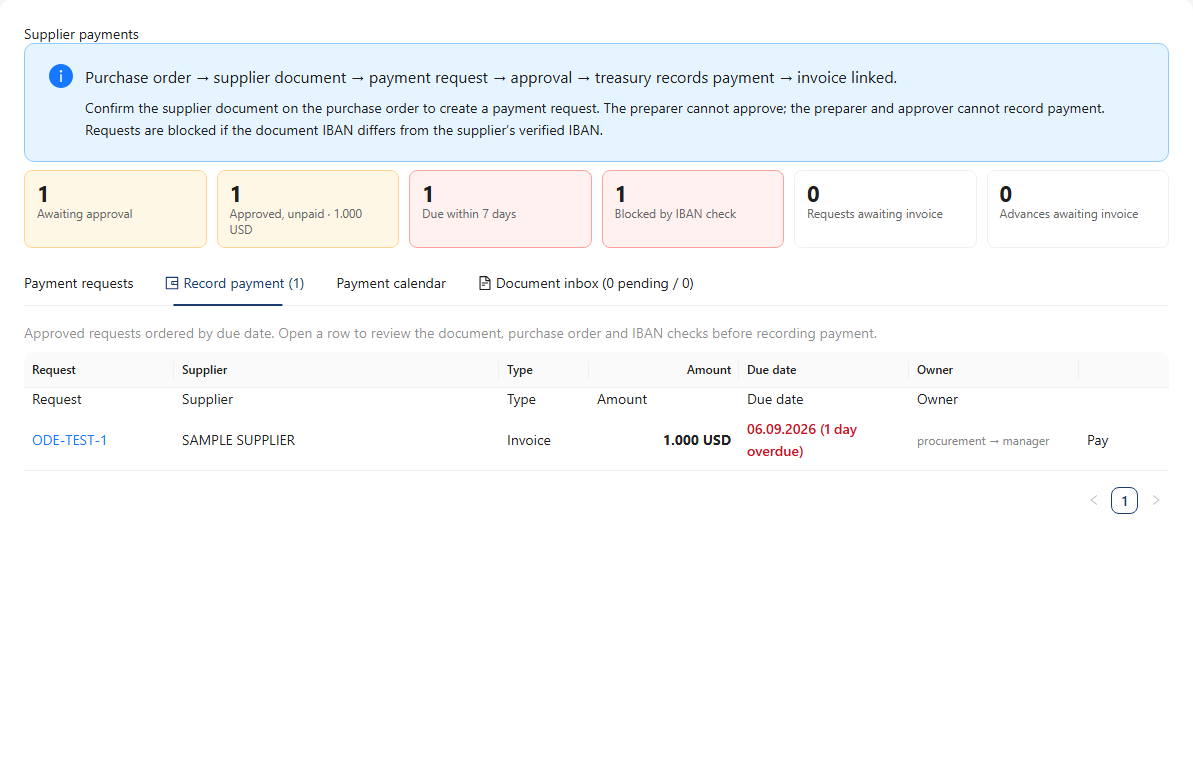
Connect a finished lot to its formula version, production task and consumed raw material lots. Keep quality checks, quarantine and expiry dates part of the same operation.
Follow goods receipts, movements, counts and shipment records. Keep outstanding order quantities visible when deliveries are split.
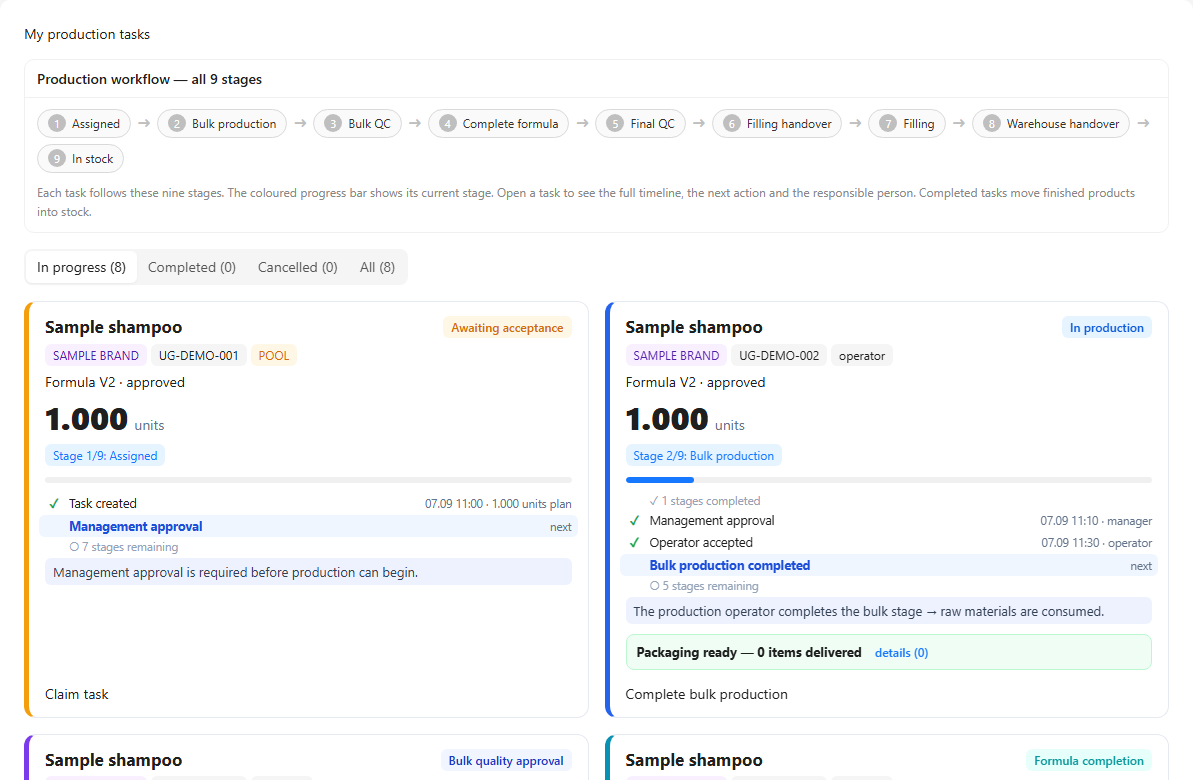
Review the evidence behind a supplier payment request. Record it after permission, amount, currency and IBAN checks. Track sales invoices and receipt allocation separately.
MANUFIO PLATFORM
Explore the modules behind the daily operation. Open a card to find the work your team does.
Keep enquiries, quotations and orders connected.
From sample development to a production formula.
Know how a product is made, not just its name.
Visibility from requirements to supplier documents.
Turn a plan into work on the factory floor.
Track material lots and stock movements.
Put the check where the work happens.
Follow invoices, receipts and payments separately.
Let everyone start with their own work.
See the product in its screens.
Tasks, production, payments and traceability. Open a screen to see how the records connect.
Who can view, change and approve? Configure process rules around the responsibilities of your team.
 Enlarge screen ↗
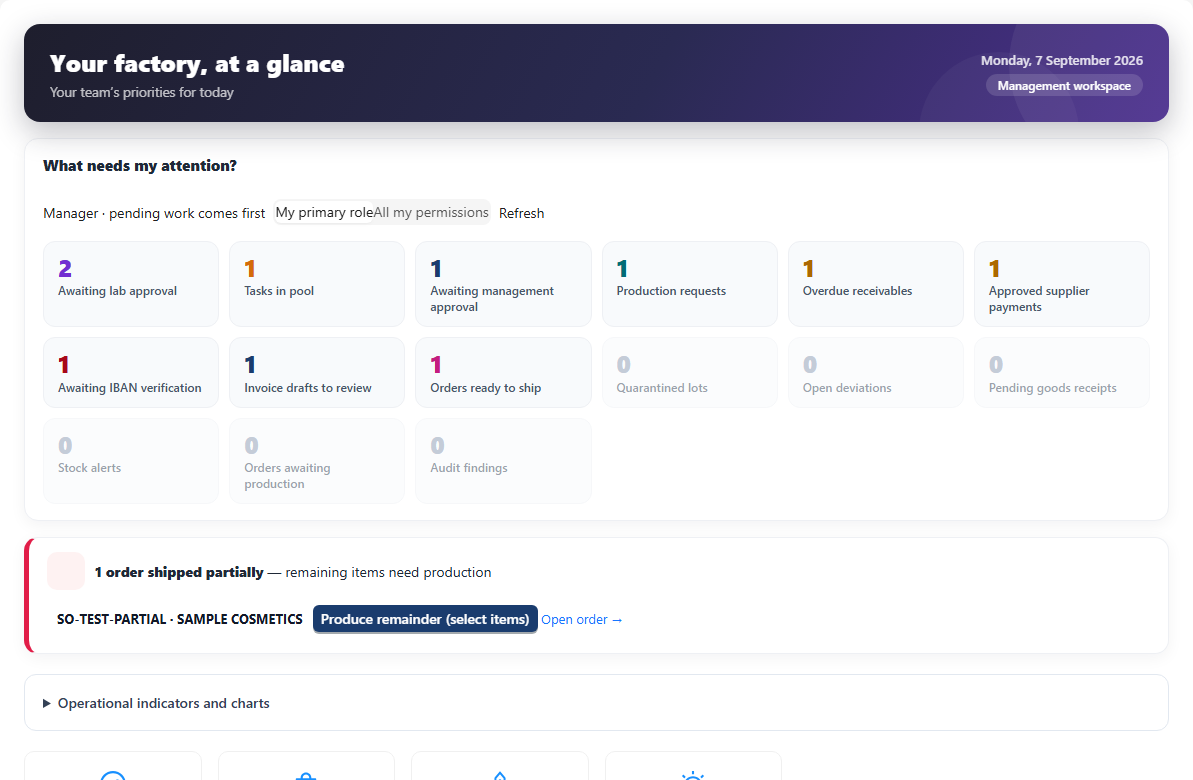
The operator pool, production stage and next action are tracked in the same task record.
 Enlarge screen ↗
Payment requests, approvals, IBAN checks and currency details are shown together.
 Enlarge screen ↗
Connect a finished lot to its formula version, production task and consumed raw material lots. Keep quality checks, quarantine and expiry dates part of the same operation.
 Enlarge screen ↗
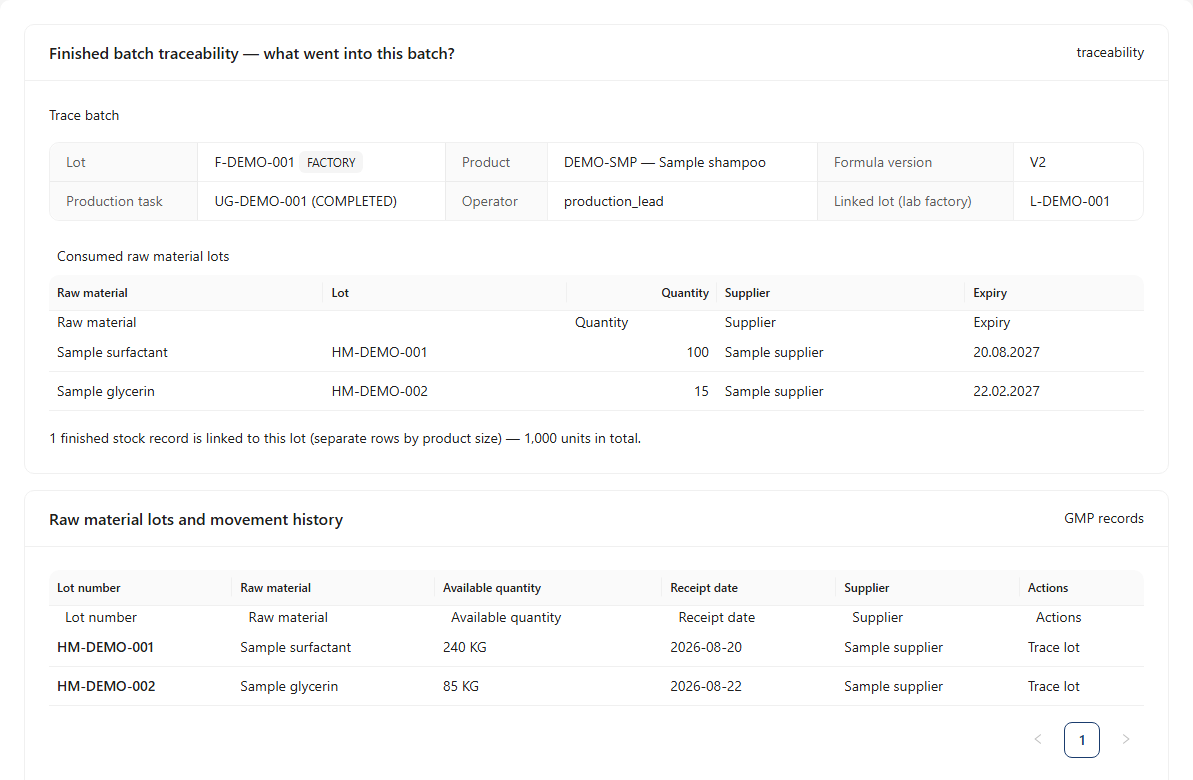
Start with customers, quotations and orders. Track available stock, production needs and quantities still to ship against the same order.
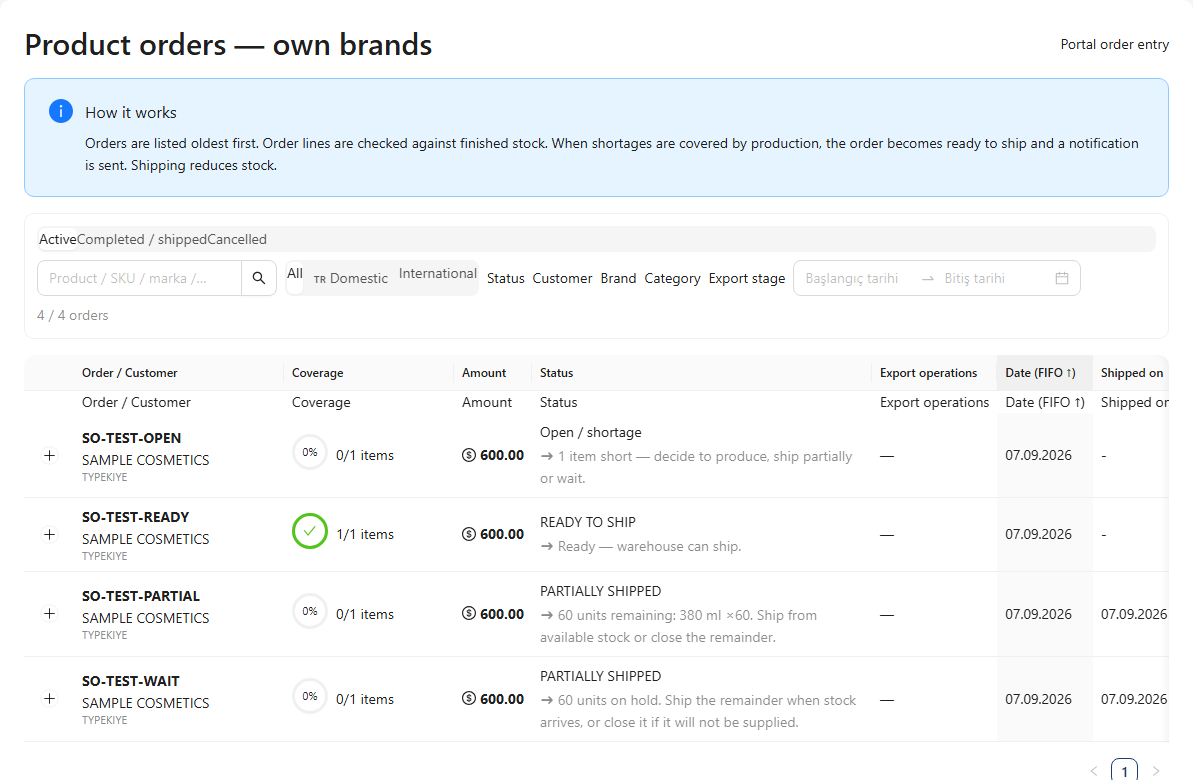 Enlarge screen ↗
English presentation previews prepared from existing application screens. All data is illustrative; interface language coverage is discussed in the demo.
Quality and permissions
Who can view, change and approve? Configure process rules around the responsibilities of your team.
Permissions by role, screen, action and individual.
Different people prepare, approve and record supplier payments.
Configurable checkpoints in production, quality and shipping.
Review who changed what through the related records.
CLOUD / ON-PREMISES
The same workflows, deployed around your infrastructure policy. Agree hosting, access and maintenance responsibilities with us.
Let your team work in the browser.
An environment for your company.
Host the application yourself.
Deployment, data migration, support and integrations are scoped in the proposal.
Review your production types, team roles and current records together.
Open an order, production or payment workflow that reflects your factory’s needs.
Agree on data transfer, cloud or on-premises hosting, training and scope.
September 2026 · Development notes
The accounting workflow is in parallel testing. Official e-invoicing integration, accountant exports and complete net profit calculations are scoped separately during setup discussions.
Product, formula, stock and order workflows can support cosmetics companies manufacturing for customers or their own brands. We plan the demo around your production types and teams.
We review the available import tools and your source files together. Mapping, cleanup and import scope for products, raw materials and other master data are agreed during setup.
Finance workflows are in parallel testing. Official e-invoicing, accountant exports and complete net profit calculations are scoped separately. We discuss how it fits your existing accounting setup in the demo.
A proposal depends on the modules, deployment, data migration and support you need. Start by telling us about your factory.
DEMO
Tell us what you manufacture and what is difficult to track. We can plan a demo around the relevant screens.